
Shoppable Video Maker: Let Viewers Shop Inside Your Video
Let customers shop directly from your videos. Add product tags, cart buttons, and checkout links to any video.



What is Shoppable Video?
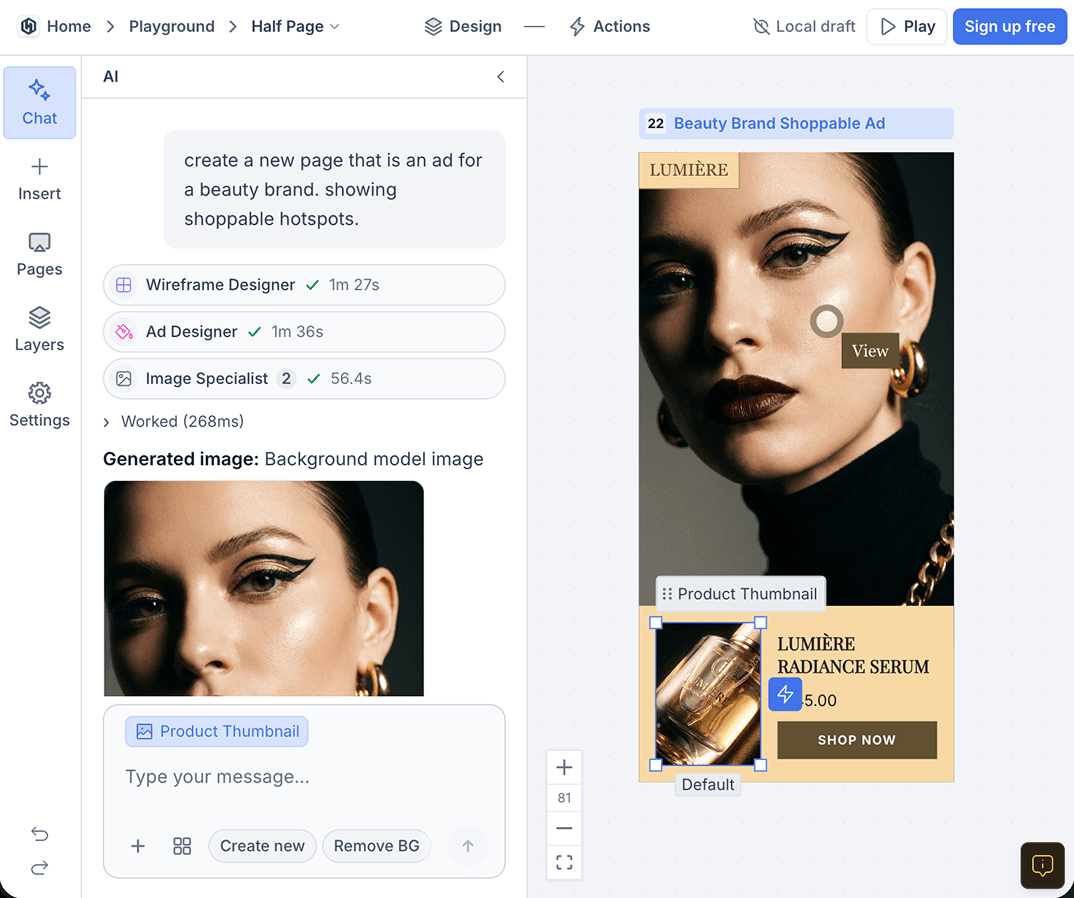
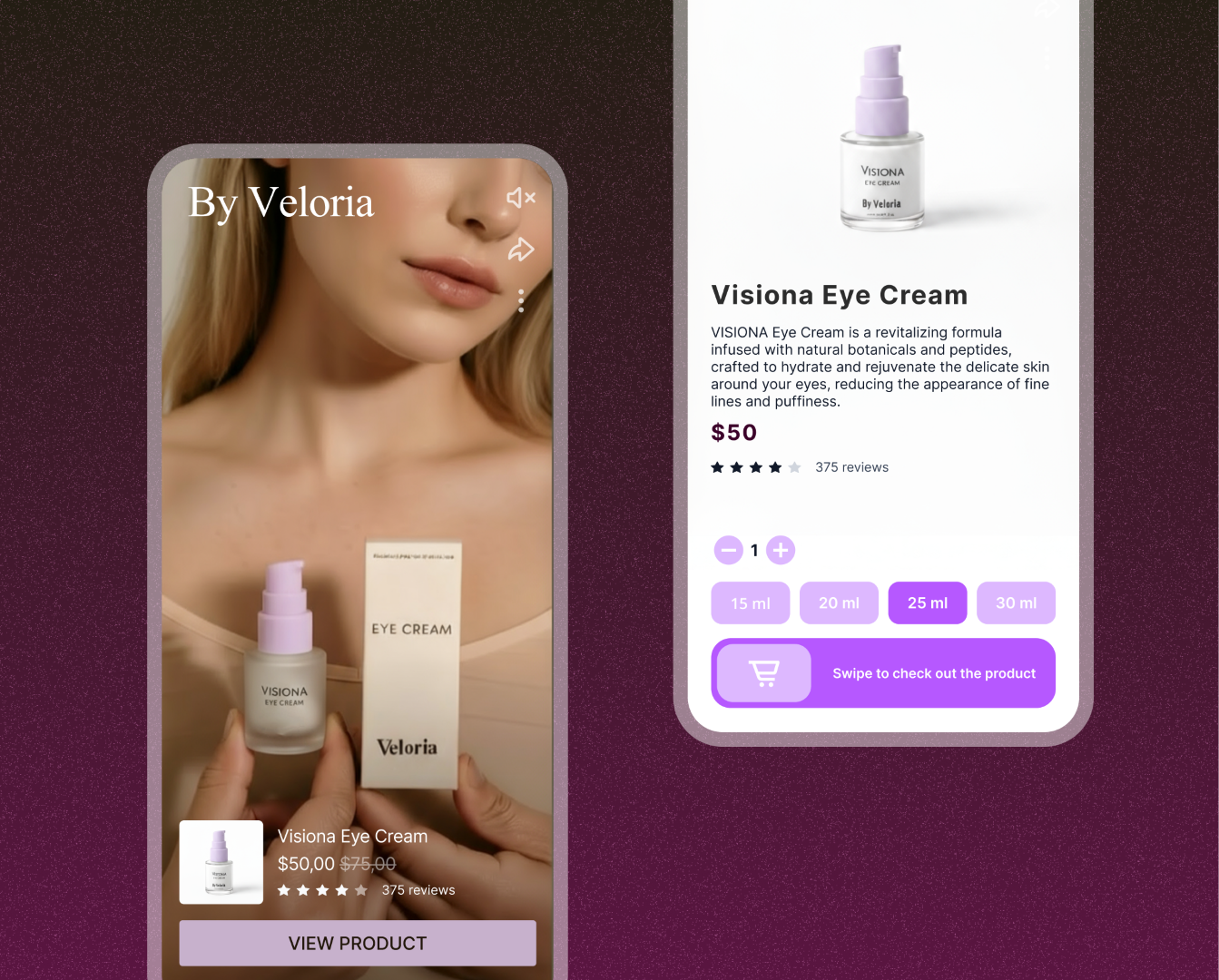
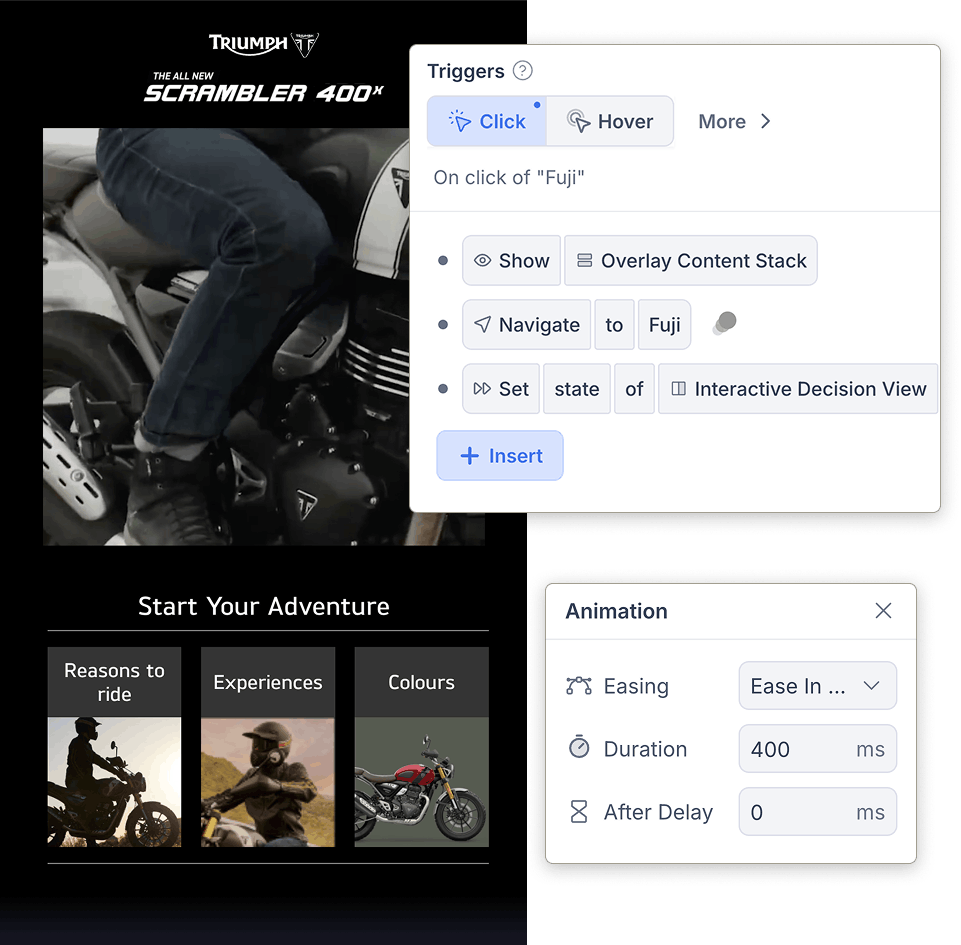
Shoppable video is the most direct form of video commerce: product hotspots, detail panels, and cart buttons sit inside the player, so viewers can tap on something they like and buy it without leaving the video. A shoppable video platform like KappaX connects to Shopify and WooCommerce, so the products in your store can be tagged directly in the video. Fashion brands tag every outfit in a lookbook, and beauty brands link each product used in a tutorial.
Why Use a Shoppable Video Maker?
Increase Conversions
Fewer clicks between watching and buying. Product actions live inside the video itself.
Engage Better
Clickable hotspots give viewers a reason to stay. Watch time goes up when there is something to interact with.
Mobile-Ready
Hotspots and buttons are sized for touch and work on phones and tablets out of the box.
Track User Behavior
See which products get tapped, where viewers drop off, and which paths lead to checkout.
Build Brand Experience
You control the layout and colors, so the video looks like part of your site rather than a third-party embed.
Top Features of KappaX Shoppable Video Maker
Clickable Product Tags Inside the Video Player
- Pull product data from Shopify or WooCommerce automatically
- Set per-frame timing so hotspots appear and disappear with the scene
- Hotspots follow the product if the camera pans
Shoppable Video Templates You Edit and Publish
- Templates pre-wired with hotspot positions and cart flows
- Restyle colors, fonts, and button shapes to match your brand
- Preview the full shopping experience before going live
Guided Product Journeys Built on Viewer Choices
- Ask about skin type, room size, budget, or any qualifier
- Each answer filters to a different product set
- End the journey with a side-by-side comparison of the finalists
Conversion Analytics From First Tap to Cart
- See which product hotspot has the highest cart rate
- Compare journey paths to find the one that sells
- Filter by date, traffic source, or device
AI Agents That Prep Your Product Visuals
- Image agent removes backgrounds and generates detail-panel graphics
- Layout agent places hotspots where products appear in the frame
- Approve, edit, or reprompt every result before publishing
One Video for Site, Email, and Social
- Embed on product pages, landing pages, or blog posts
- Share a direct link on TikTok, Instagram, or YouTube
- Cart and hotspot actions work wherever the player loads
Shoppable Video Examples & Use Cases
Lookbooks
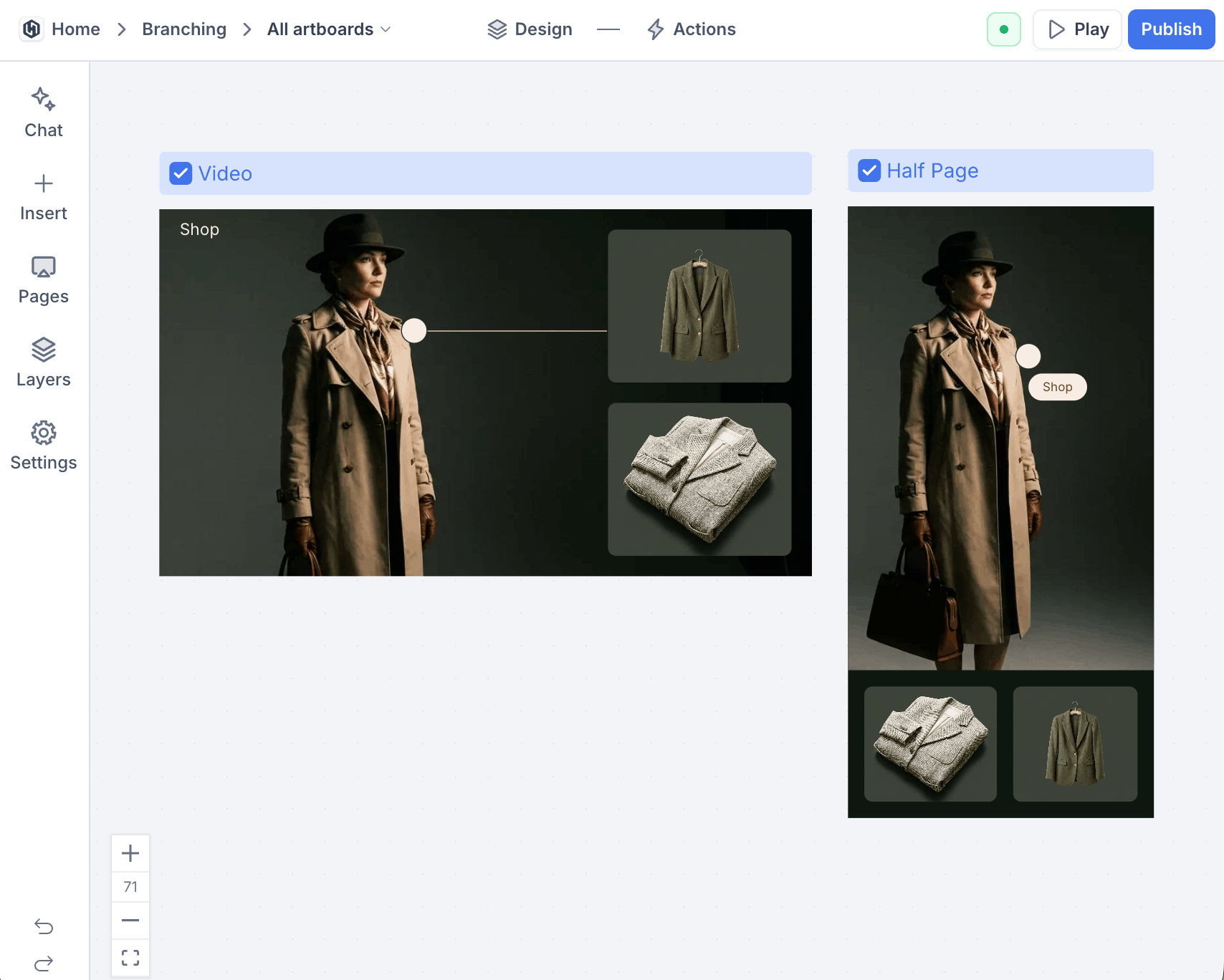
Fashion brands tag every outfit as models wear it. A viewer who likes the jacket taps it, checks the size, and adds it to cart while the video keeps playing.
Tutorials
Beauty and DIY creators link each product at the moment it gets used. The tutorial answers what it is and where to get it in the same tap.
Product launches
Pair a launch film with hotspots for each new item. The excitement of the film and the buying moment happen in the same place, instead of a link in the description.
Guided product tours
Add branching so viewers pick what they want to see, like a room-by-room home tour or a feature-by-feature device demo, with a buy button at every stop.
How Tanishq Used Shoppable Video to Sell Jewelry Inside the Player
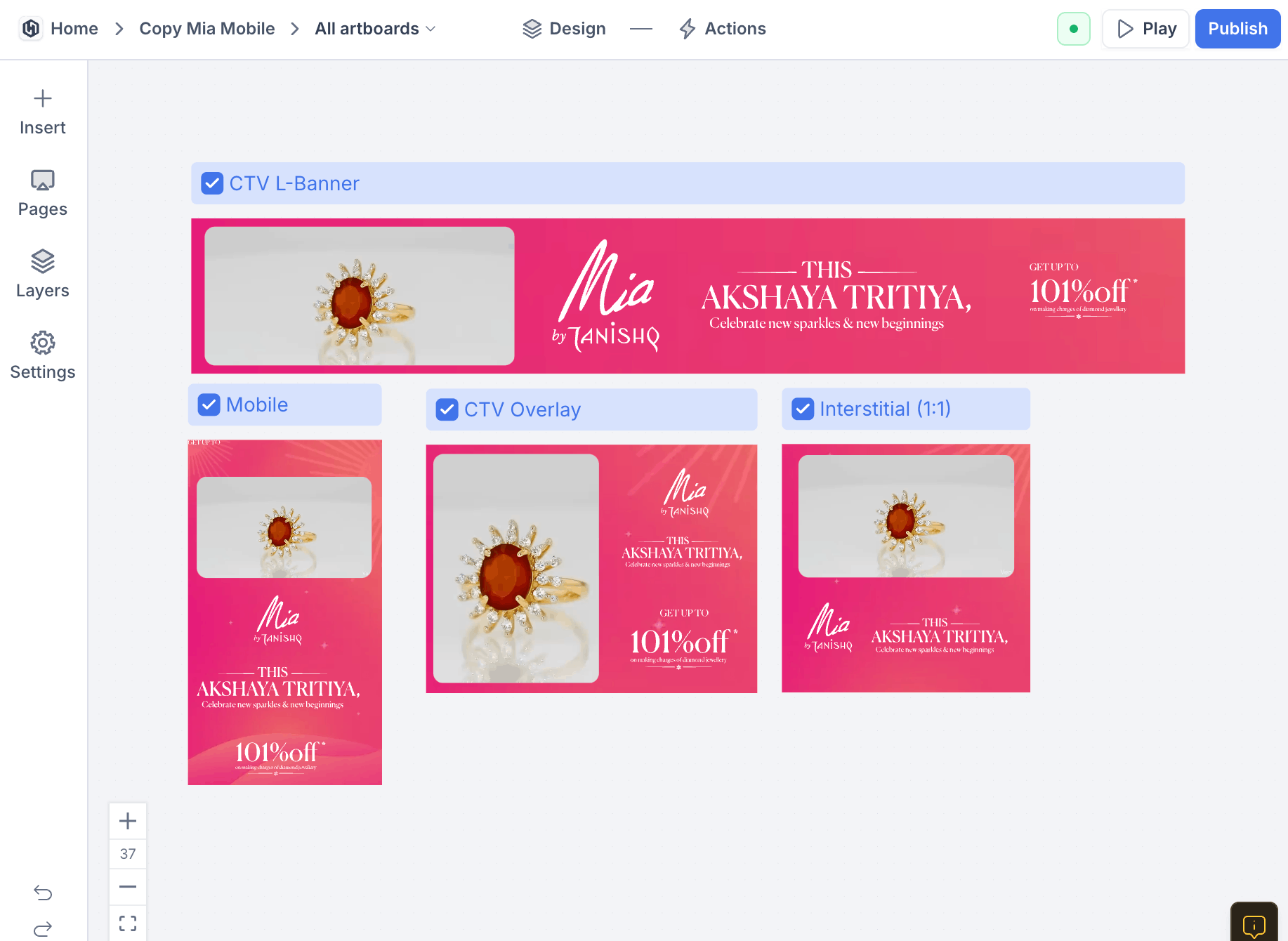
Tanishq tagged jewelry pieces as they appeared on screen. Viewers tapped to see pricing, then added to cart without leaving the player. It ran as an interactive ad across India.

How KappaX Compares
Tolstoy is built around video funnels and LightX around editing. KappaX is a shoppable video platform combining product hotspots, cart buttons, and branching logic in one player.
Upload Footage and Connect Your Store
Bring in your video and sync products from Shopify or WooCommerce.
Tag Products as They Appear
Drop hotspots on each product, with name, price, and add-to-cart pulled from your catalog.
Add Cart Buttons and Journeys
Wire quizzes and branching paths that guide each viewer to the right product.
Publish and Track Add-to-Carts
Embed on your store or share to social, then watch taps turn into carts in real time.


Frequently asked questions
What is a shoppable video?
A video with embedded product links. Viewers click on tagged items to see details or add them to cart while the video plays.
How do I create a shoppable video?
Sign up, pick a template, upload your video, tag your products, and hit publish.
Do I need coding skills to make shoppable video?
No. You place hotspots and cart buttons by dragging them onto the video, and AI agents can generate product overlays and write call-to-action copy. The editor handles the rest.
Can I track my campaign's performance in real time?
Yes. You get real-time data on views, clicks, add-to-cart actions, and conversions.
Is it mobile friendly?
Yes. Videos are responsive and work on any screen size. Hotspots are sized for touch, so tapping a product on a phone works the same as clicking on desktop.
Does it work with Shopify or WooCommerce?
Yes. KappaX integrates with both, so products from your existing store can be tagged in the video and the buying flow stays connected to your cart.
Can I share shoppable videos on TikTok, Instagram, or YouTube?
Yes. Publish once and share the link on TikTok, Instagram, or YouTube, embed the same video on your site, or drop it into email campaigns. Hotspots and cart actions work wherever the KappaX player loads.
What can viewers do inside the video?
Tap a product hotspot for details, open a product panel, add items to the cart, and follow branching paths to the right product. None of it interrupts playback.
How do I add product tags to a video?
Drag a hotspot onto the product the moment it appears and set when it shows and hides. The product name, price, and add-to-cart button fill in from your catalog, and the hotspot follows the product if the camera pans.



Learn more: shoppable video platforms comparison · Tolstoy alternative